
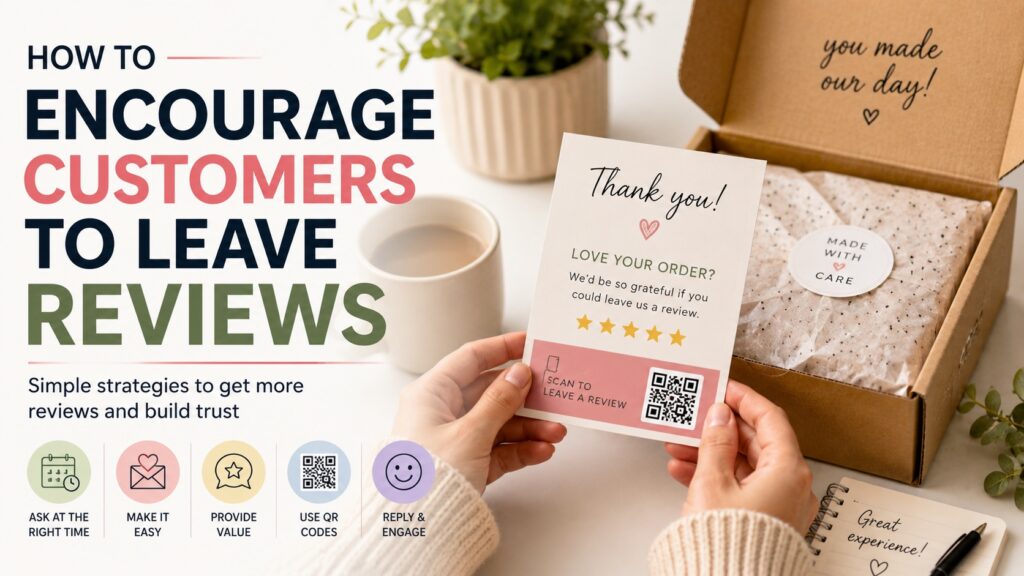
TLDR
Customer reviews are easier to get when the request is simple, honest, and well timed.
Ask after the customer has had enough time to receive and use the product. Make the review link easy to find. Use email, packaging inserts, QR codes, and thank-you cards to reduce friction.
Do not pressure customers, offer rewards for positive reviews, or ask only happy customers to leave public feedback. Ask for an honest review from real customers.
The best review requests feel like part of a thoughtful customer experience, not a desperate favor.
Customer Reviews Start With a Good Experience
Most customers do not leave reviews because they are busy, not because they disliked the order.
That is the first thing to remember. Customer reviews are not only about asking louder. They are about making the next step easy at the right moment. If the product arrived safely, the packaging felt cared for, and the customer knows where to leave feedback, you have already done most of the work.
A review request should feel natural. It should not feel like pressure. It should not make the customer wonder if you only want praise. The cleanest version is simple: “If you have a minute, we’d appreciate an honest review.”
For small businesses, customer reviews can help new shoppers feel more confident. Reviews answer the questions your product page cannot fully answer on its own: Did it arrive as expected? Was the quality good? Did the product match the photos? Would someone order again?
That kind of feedback matters. But the way you ask matters too.
Ask at the Right Time
Timing has a big effect on whether customers leave reviews.
Ask too early, and the customer may not have received the order yet. Ask too late, and the order is no longer fresh in their mind. For most ecommerce orders, a good review request usually comes a few days after delivery. For products that need more time, like skincare, supplements, apparel, custom gifts, or home goods, give the customer enough time to actually use the item.
A simple timing framework:
| Product Type | Good Time to Ask | Why |
|---|---|---|
| Stickers, stationery, small accessories | 3 to 7 days after delivery | The customer can check quality quickly |
| Apparel or home goods | 7 to 14 days after delivery | The customer has time to use or wear it |
| Beauty, skincare, or consumables | 14 to 30 days after delivery | Results or preferences may take longer |
| Custom gifts or event products | After the event date, if known | The customer can judge how it worked in context |
Do not send too many reminders. One request and one gentle follow-up is usually enough. After that, let it go.
A review request should feel like an invitation, not a chase.
Make the Review Link Easy to Find
Customers are more likely to leave a review when they do not have to search for the right page.
Use a direct review link whenever possible. Put it in your post-purchase email, shipping follow-up, thank-you card, or packaging insert. If the customer has to click through your homepage, find the product, scroll to the review section, and figure out where to write, many will stop before they start.
Make the call to action clear:
“Leave a review”
“Share your feedback”
“Tell us how your order turned out”
“Review your purchase”
Avoid vague buttons like “Learn more” or “Click here.” They do not tell the customer what will happen next.
For physical packages, QR codes are useful because they connect the product in the customer’s hand to the review page. A small insert or sticker with a QR code can remove several steps.
For review cards, packaging inserts, or product tags, QR code stickers can point customers directly to a review page, reorder page, or feedback form.
Use Packaging as a Review Reminder
Packaging is one of the best places to ask for a review because the customer is already paying attention.
This does not mean covering the package in review requests. One small, clear reminder is enough.
Good places to add a review prompt include:
- A thank-you card
- A packing slip
- A small insert card
- A sticker on the inside flap of the box
- A product care card
- A reorder card
- A QR code label
- A small note near the product
A simple message works best:
“Love your order? We’d appreciate an honest review.”
Or:
“Your feedback helps our small business improve. Scan here to leave a review.”
Or:
“Have a minute? Tell us how your order turned out.”
This kind of request feels calm and reasonable. It also gives customers a reason to help without telling them what to say.
If your packaging already includes a thank-you detail, custom thank-you stickers can help make the review request feel connected to the order instead of tacked on.
Ask for Honest Feedback, Not Positive Feedback
This is important.
Do not ask for a positive review. Ask for an honest review.
That small wording change matters. It makes the request feel more trustworthy, and it helps avoid problems with review platform policies. Customers should feel free to share their real experience.
Better wording:
“Please leave an honest review.”
“Tell us what you thought of your order.”
“Your feedback helps us improve.”
“Share your experience with other customers.”
Avoid wording like:
“Leave us a 5-star review.”
“Tell everyone how much you loved it.”
“Only happy customers, click here.”
“Review us for a discount.”
“Change your review and we’ll send a coupon.”
The goal is not to manufacture perfect reviews. The goal is to collect real feedback from real customers.
Real reviews are more useful anyway. A page full of only vague praise can feel less believable than a page with specific, balanced feedback. Customers know that every business has tradeoffs. Honest reviews help them make better decisions.
Do Not Use Review Gating
Review gating means filtering customers before asking for a public review.
A common version looks like this:
“How was your experience?”
If the customer chooses “great,” they get sent to a public review page. If they choose “bad,” they get sent to a private feedback form.
That may seem harmless, but it can distort the public review profile. It can also violate platform rules.
A better system is to separate two things:
- Ask all customers for honest public reviews
- Also give all customers a clear support path if something went wrong
For example:
“Have feedback about your order? You can leave a review here. If something arrived damaged or incorrect, please contact our support team so we can help.”
That wording gives customers both options without hiding one group from the public review process.
It is also just better customer service. If something went wrong, you want the customer to know how to reach you. But that should not depend on blocking their ability to leave a review.
Add Review Requests to Post-Purchase Emails
Email is still one of the simplest ways to ask for reviews.
A good post-purchase review email should be short. The customer already knows what they bought. You do not need to re-explain the whole brand.
Here is a simple template:
Subject: How did your order turn out?
Hi [First Name],
Thanks again for your order. We hope everything arrived safely and turned out the way you expected.
If you have a minute, we’d really appreciate an honest review. Your feedback helps other customers know what to expect and helps us keep improving.
[Leave a Review]
Thank you,
[Brand Name]
That is enough.
You can also use a product-specific version:
Subject: How did your stickers turn out?
Hi [First Name],
We hope your stickers arrived safely and look great in person.
If you have a minute, we’d appreciate an honest review. It helps other customers see what to expect when ordering custom stickers.
[Leave a Review]
Thanks again,
[Brand Name]
Keep the email focused. Do not combine the review request with five other calls to action. If the email asks for a review, a reorder, a social follow, a referral, and a newsletter signup all at once, the customer may do none of them.
Include Review Cards in Orders
A small review card can work well for ecommerce orders, local businesses, event vendors, and handmade product brands.
The card does not need to be fancy. It needs to be clear.
A good review card includes:
- A short thank-you message
- A direct review request
- A QR code or short URL
- A support contact
- Optional social handle
Here is a simple layout:
Front:
“Thank you for your order.”
Back:
“Have a minute? We’d appreciate an honest review. Scan the QR code to share your feedback. If something is wrong with your order, please contact us so we can help.”
For a simple printed insert, business cards can double as review cards: https://customstickers.com/products/100x-business-cards-double-sided-10
This works because the size is familiar, easy to pack, and large enough for a QR code plus a short message.
Give Customers Something Specific to Comment On
Many customers do not know what to write.
A blank review box can feel oddly intimidating. Not in a dramatic way. Just enough that someone might close the tab and move on.
Help customers by giving them simple prompts.
You can say:
“If you’re not sure what to write, you can mention the quality, shipping, packaging, colors, size, or how you plan to use the product.”
This is not telling them what rating to give. It is just helping them think of useful details.
For custom products, good review prompts might include:
- Did the colors match what you expected?
- Was the size right for your project?
- How did the product look in person?
- Was the ordering process clear?
- Did the packaging protect the item?
- Would you order the same product again?
Specific reviews are better for future customers. “Great quality” is nice. “The matte finish looked clean on my candle jars and the small text stayed readable” is much more useful.
Respond to Reviews Like a Real Person
Encouraging customer reviews does not stop when the review is posted.
Responding to reviews shows customers that someone is listening. It also makes your business feel more active and trustworthy.
For positive reviews, keep the reply short and personal:
“Thank you for your order, Jamie. We’re glad the stickers turned out well.”
For detailed reviews, refer to the detail:
“Thanks for mentioning the packaging, Alex. We’re glad everything arrived safely.”
For negative reviews, stay calm:
“Thank you for the feedback. We’re sorry this did not arrive as expected. Please contact us with your order number so we can take a closer look.”
Do not argue with customers in public. Do not copy and paste the exact same response to every review. And do not ask someone to change a review before you have actually helped them.
A thoughtful response can turn a rough moment into a better customer experience.
Make Reviews Part of the Customer Experience
The best review systems are built into the normal customer flow.
Instead of remembering to ask for reviews randomly, create a repeatable process:
- Customer places an order.
- Order ships with a clean insert or QR code.
- Customer receives the product.
- Follow-up email goes out after the right amount of time.
- Customer gets one reminder if needed.
- Reviews are monitored and answered.
- Useful feedback is shared with the team.
This kind of system keeps review requests consistent. It also prevents the awkward scramble where a business only asks for reviews after a slow week or a bad review.
For small businesses, consistency is often more important than volume. Ten thoughtful review requests every week can be better than one big push every few months.
Use Reviews to Improve, Not Just Promote
Reviews are not only marketing assets. They are feedback.
Look for patterns:
- Do customers mention fast shipping?
- Do they praise print quality?
- Do they ask for clearer sizing?
- Do they mention packaging damage?
- Do they love a specific finish?
- Do they seem confused by part of the order process?
- Do they use the product in a way you did not expect?
These details can help improve product pages, FAQs, packaging inserts, design templates, and customer support scripts.
For example, if customers keep saying they were surprised by how big or small something was, add better size examples to the product page. If customers praise the packaging, show more packaging photos. If customers mention that a QR code was useful, keep using it.
Reviews can help you sell, but they can also help you fix small friction points.
Review Request Mistakes to Avoid
A review request should make the customer’s next step easier. It should not create pressure or confusion.
Avoid these common mistakes:
Asking too early: Give the customer time to receive and use the product.
Making the link hard to find: Use a direct link, QR code, or clear button.
Requesting only positive reviews: Ask for honest feedback from real customers.
Offering rewards for public reviews: Review incentives can create policy and disclosure issues, and some platforms prohibit them.
Sending too many reminders: One follow-up is usually enough.
Using guilt-heavy wording: “Please help us survive” is not a great customer experience.
Ignoring negative reviews: A calm response can matter more than the original complaint.
Using generic copy everywhere: Product-specific requests often feel more natural.
The simplest rule: make the request honest, easy, and respectful.
Conclusion
The best way to encourage customers to leave reviews is to make the request feel like a normal part of a good order experience.
Ask at the right time. Make the review link easy to find. Use email, packaging inserts, review cards, and QR codes to reduce friction. Keep the wording honest. Give customers a clear support path if something went wrong.
Most of all, do not pressure people into praise.
Real customer reviews help future shoppers understand what to expect. They also help your business see what is working, what needs fixing, and what customers value most.
That is why reviews are worth asking for carefully.
FAQs
How do I ask customers to leave a review?
Ask with a short, clear message after the customer has received the product. Thank them for the order, ask for an honest review, and include a direct link or QR code so the process is easy.
When should I send a review request?
For many ecommerce orders, send the request a few days after delivery. For products that take longer to use, wait one to four weeks depending on the product. The customer should have enough time to form a real opinion.
Can I offer a discount for leaving a review?
Be careful. Some platforms prohibit incentives for reviews, and review incentives can create disclosure or policy issues. The safest approach is to ask for honest feedback without offering a reward for a public review.
Should I ask only happy customers for reviews?
No. Asking only happy customers for public reviews can be considered review gating. It is better to ask real customers for honest reviews and also give everyone a clear way to contact support if something went wrong.
What should a review request card say?
A review request card can say: “Thank you for your order. If you have a minute, we’d appreciate an honest review. Scan the QR code to share your feedback. If something is wrong, please contact us so we can help.”
How many times should I remind customers to leave a review?
Usually, one initial request and one gentle reminder is enough. Too many reminders can make the request feel pushy.